

Maintaining a consistent brand identity requires more than just a well designed logo. It demands technical precision across every medium, from small digital icons to massive industrial signage. For many businesses, the primary obstacle to achieving this consistency is the reliance on raster based imagery. Raster images, composed of fixed grids of pixels, fail when subjected to the rigors of professional print production and large scale reproduction. The transition to vector conversion is not merely a design preference; it is a fundamental shift in how brand assets are managed, stored, and deployed.
The Technical Foundation of Vector Assets
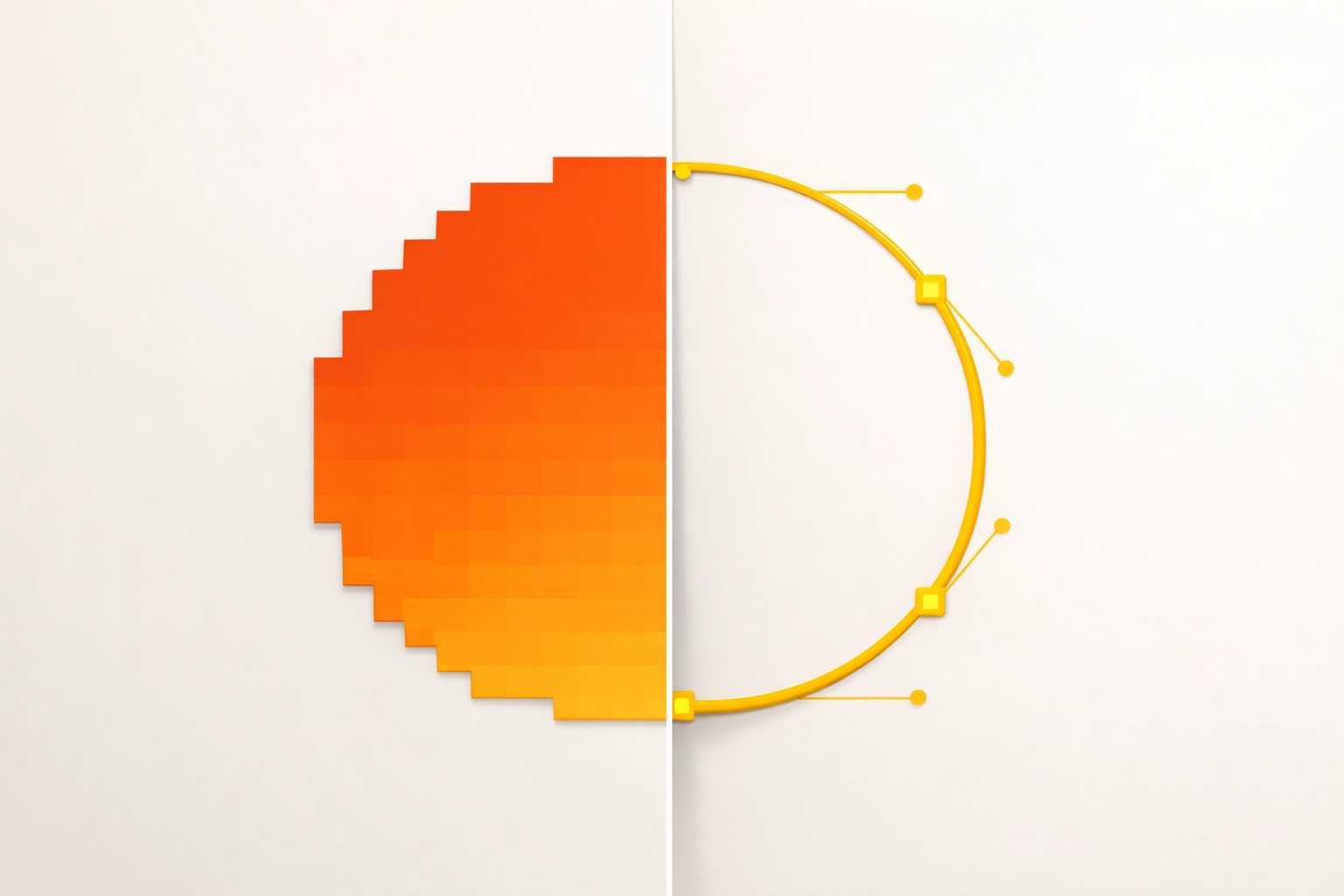
To understand why vector conversion is transformative, one must understand the mathematical nature of the format. Raster files, such as PNG or JPEG, store color data in specific coordinates. When these files are enlarged, the software must interpolate new pixels to fill the gaps, resulting in the blurred or blocky appearance known as pixelation. Vector files, created in programs like Adobe Illustrator or Affinity Designer, function differently. They utilize mathematical formulas to define paths, points, and curves.
Because these paths are calculated in real time, a vector graphic can be scaled to the size of a skyscraper without losing a single degree of clarity. This geometric approach ensures that the brand remains sharp regardless of the output device. For businesses managing multiple marketing channels, this eliminates the need for maintaining a library of different sized files for every possible use case. A single master vector file serves as the source for all physical and digital applications.
Software Workflows: Adobe CC versus Affinity
The workflow for converting raster assets into professional grade vectors typically involves two industry leading suites: Adobe Creative Cloud and the Affinity Suite. Within Adobe Illustrator, the Image Trace tool offers a quick method for basic conversion, yet professional production often requires manual intervention. For high fidelity brand identity, designers use the Pen Tool to redraw paths with mathematical precision. This ensures that curves are smooth and anchor points are kept to a minimum, which is critical for CNC routing or vinyl cutting.
Affinity Designer has emerged as a robust competitor, offering a dedicated Vector Persona that streamlines the transition between pixel based manipulation and vector precision. One advantage of Affinity is its clean output and lack of subscription overhead for smaller shops. However, Adobe remains the standard for seamless integration with RIP (Raster Image Processor) software used in high volume print environments. Choosing between these tools depends on the complexity of the brand assets and the specific requirements of the production house.
Production Efficiency in DTG, DTF, and Sublimation
The benefits of vector conversion become most apparent during the file preparation stage for various garment and product printing technologies. Each method has unique technical requirements that raster images often fail to meet.
Direct to Garment (DTG) printing requires high resolution files to ensure the print head deposits the correct volume of ink. Vector files are ideal here because they allow for easy color separation. When a file is in vector format, a printer can easily isolate the hex codes or Pantone colors to ensure the output matches the brand guidelines exactly.
Direct to Film (DTF) has become a dominant force in the industry due to its versatility. DTF requires a precise white underbase to be printed behind the colored ink. Generating this underbase in RIP software is significantly more accurate when using a vector file. The software can identify the exact boundary of the graphic down to the micron. Raster files often have semi transparent pixels at the edges, which can lead to white outlines or "peeking" when the heat press is applied.
Sublimation printing, used for hard substrates and polyester fabrics, relies on the sublimation of ink into a gas. This process can naturally cause a slight softening of the image. Starting with a perfectly sharp vector source is the only way to counteract this physical limitation and maintain crisp text and logos on items like mugs, plaques, or athletic jerseys. You can view examples of high precision production at our portfolio page.
The Role of RIP Software in Brand Management
A Raster Image Processor (RIP) is the bridge between the design file and the hardware. Software such as Digital Factory, VersaWorks, or Onyx handles the heavy lifting of color management and halftoning. When a technician imports a vector file into a RIP, the software treats the lines as paths rather than a collection of dots.
This allows for superior nesting and tiling. Tiling is necessary when a brand graphic exceeds the width of the printer, requiring the image to be split into multiple panels. Vectors allow these panels to align with zero margin for error. Furthermore, vector files result in smaller file sizes despite their higher quality. This improves server speeds and reduces the computational load on the RIP workstation, leading to faster turnaround times for complex projects.

Manual Redrawing versus Automated Tracing
A common mistake in brand management is relying solely on automated "auto-trace" features. While these tools have improved with machine learning, they often create an excessive number of anchor points. For certain types of production, such as embroidery or laser engraving, too many points can cause the machinery to stutter or produce a jagged finish.
Manual vector conversion involves a designer carefully placing every node to ensure the most efficient path possible. This process cleans up artifacts from the original low resolution scan and corrects geometric inconsistencies. If a circle in a logo is slightly off center in the raster version, it can be mathematically perfected during the vectorization process. This level of detail is what separates a professional brand identity from a generic one. For companies looking to overhaul their current assets, our services provide the technical expertise needed for these conversions.
Cost Efficiency and Long Term Asset Health
Investing in vector conversion provides a significant return on investment by reducing labor costs over time. When a company uses low quality raster files, every new marketing project requires a designer to "fix" or "recreate" the logo for the specific medium. This repetitive labor is a drain on resources.
Once a brand is converted to a vector format, that asset is future proof. It can be exported to SVG for web use, PDF for print, or EPS for legacy machinery. This versatility ensures that the brand can pivot to new technologies without needing a total redesign. Moreover, having a clean vector file simplifies the process of updating brand colors. Changing a corporate palette across all assets takes seconds in a vector environment, whereas it might require a complete redraw in a raster environment.
Managing Large Format Transitions
Large format printing, such as vehicle wraps or trade show displays, is where vector conversion is non negotiable. A logo that looks acceptable on a business card will show every flaw and pixel when blown up to six feet wide. Vector paths remain identical at any scale, ensuring that the brand’s professional image is maintained even in the most demanding physical environments.
Technical file preparation for large format also involves bleed and crop marks. Vector software allows for more precise control over these print specifications. It ensures that the ink coverage extends beyond the cut line, preventing unsightly white borders on the finished product. This precision is essential for maintaining the high standards expected in the Creative Services and Graphic Design industry.
Final Technical Considerations
The move to vector based brand management is a strategic decision that affects every department, from marketing to production. It streamlines the workflow, ensures color accuracy across different machines like DTG and DTF, and provides a level of scalability that raster files cannot match. By prioritizing vector conversion, businesses protect their brand equity and ensure that their visual identity is represented with the highest possible fidelity.

Works Cited
Adobe. (2024). Vector vs. Raster: What’s the Difference? Adobe Creative Cloud Learning.
Affinity by Serif. (2025). Professional Vector Illustration for Desktop and iPad. Serif (Europe) Ltd.
International Sign Association. (2023). Large Format Printing Standards and File Preparation. ISA Publications.
Printing United Alliance. (2024). Direct to Film (DTF) and Direct to Garment (DTG) Workflow Integration. Specialty Graphic Imaging Association.
Walker, T. (2023). Digital Printing and Workflow: The Role of RIP Software in Modern Production. Graphic Arts Press.
Recent Comments